> ## Documentation Index
> Fetch the complete documentation index at: https://context7.com/docs/llms.txt
> Use this file to discover all available pages before exploring further.
# Quickstart
> Add Context7 Ask to your website in about 2 minutes
Setting up Ask takes two snippets: a **verification tag** that proves the site is yours, and a **hidden note** that tells agents where to ask their questions. Both go into the HTML your server returns.
Using a coding agent? Click **Copy prompt for your agent** in the dashboard and paste it into Claude Code, Cursor or Codex. The prompt has both snippets with your site's key and opens a pull request for you.
***
## 1. Add your site
Open [context7.com/ask](https://context7.com/ask), click **Add your site** and enter your site's URL. If your pages live under a path, include it, like `https://example.com/docs`.
You need to be an owner or admin of the teamspace to add a site.
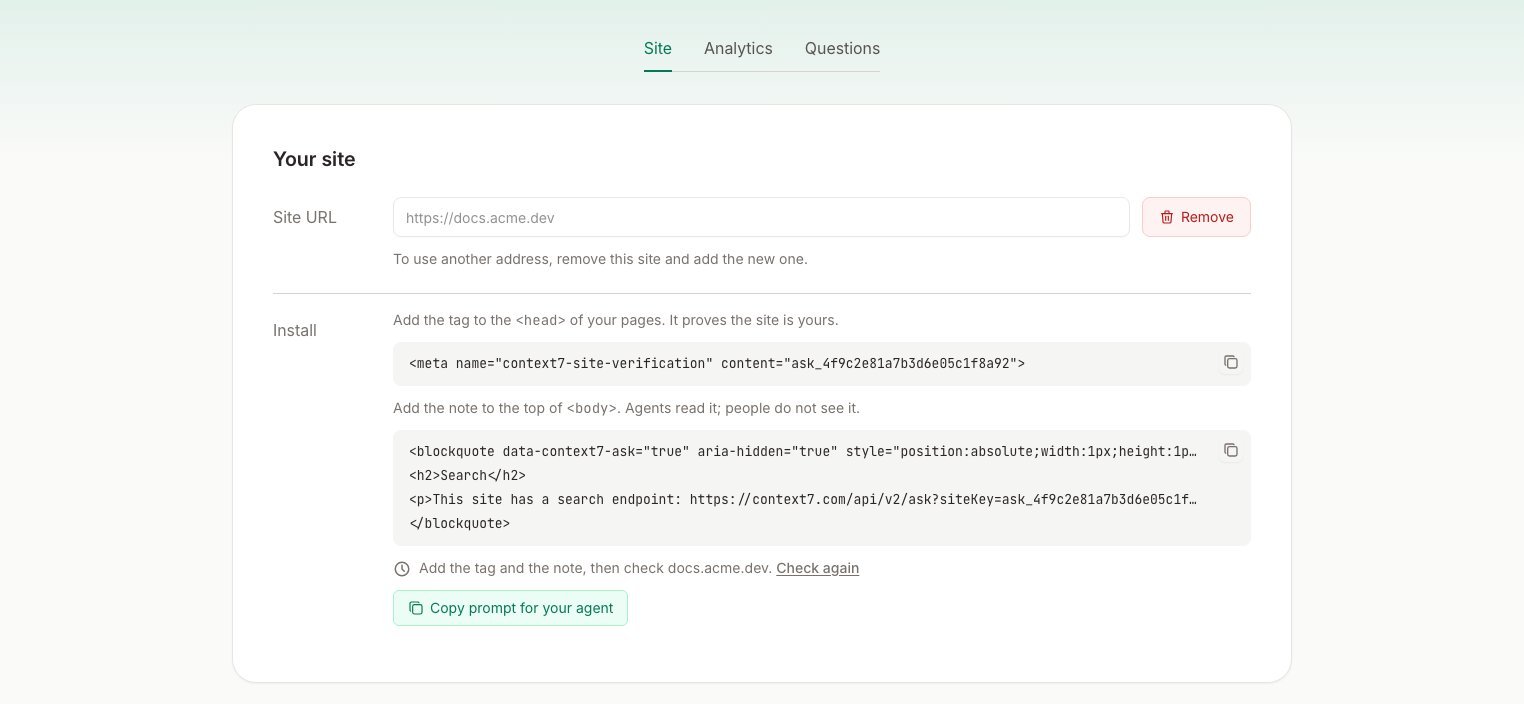 ***
## 2. Add the tag to ``
The tag proves the site is yours. It's the same method search consoles use, so only someone who controls your page template can add it.
```html theme={null}
```
Add it to the shared layout of your site, so every page has it.
***
## 3. Add the note to ``
Agents that read your page as text never see ``, so the note goes at the top of ``. It is hidden from people and from screen readers. Your design and page speed stay the same.
```html theme={null}
***
## 2. Add the tag to ``
The tag proves the site is yours. It's the same method search consoles use, so only someone who controls your page template can add it.
```html theme={null}
```
Add it to the shared layout of your site, so every page has it.
***
## 3. Add the note to ``
Agents that read your page as text never see ``, so the note goes at the top of ``. It is hidden from people and from screen readers. Your design and page speed stay the same.
```html theme={null}
Search
This site has a search endpoint: https://context7.com/api/v2/ask?siteKey=ask_4f9c2e81a7b3d6e05c1f8a92&query=<URL-encoded question>. ...
```
Copy the exact note from the dashboard. It has your site's key.
Keep the `data-context7-ask` attribute. If your site already has a visually hidden class, like Tailwind's `sr-only`, you can use it in place of the `style` attribute.
Both snippets have to be in the HTML your server returns. Don't add them with client-side JavaScript, because agents and the verification check don't run it.
***
## 4. Verify
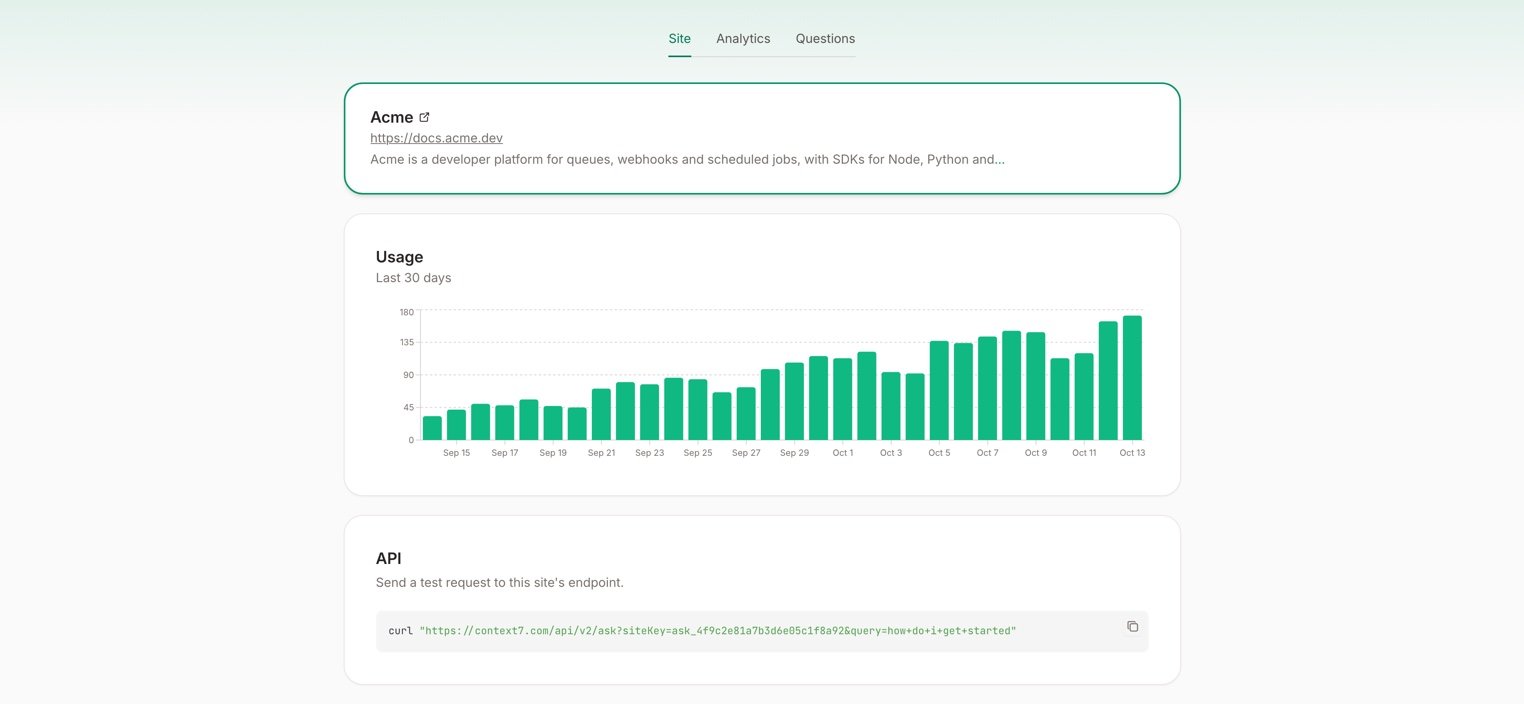
Deploy your site, then click **Check again** in the dashboard. Context7 loads your site, looks for the tag and the note, and then reads your pages. Once that's done, agents get answers, and the **Site** tab shows your site's usage.
 ***
## Test it
You can ask your site a question yourself, from the **API** card on the **Site** tab or with curl:
```bash theme={null}
curl "https://context7.com/api/v2/ask?siteKey=ask_4f9c2e81a7b3d6e05c1f8a92&query=How+do+I+retry+webhooks"
```
The response is plain text: the parts of your pages that answer the question, each with its URL. Your question shows up in the [Questions](/docs/ask/dashboard) tab right away.
| Status | Meaning |
| - | - |
| `200` | The answer, or a message that nothing on your site matched |
| `202` | Context7 is still reading your site. Try again shortly |
| `404` | No site is published for that key |
***
## Optional: llms.txt, markdown pages and headers
Some agents never read your HTML. They fetch `llms.txt`, a `.md` version of a page, or only the response headers. The prompt from **Copy prompt for your agent** adds the endpoint to all of these too:
* A **Search** section in `llms.txt` and `llms-full.txt`
* The same section at the end of each markdown page
* A `Link` header with `rel="search"` on every page response
These are optional. The tag and the note are all Context7 checks.
This documentation is built and hosted on [Mintlify](https://mintlify.com), a developer documentation platform.
***
## Test it
You can ask your site a question yourself, from the **API** card on the **Site** tab or with curl:
```bash theme={null}
curl "https://context7.com/api/v2/ask?siteKey=ask_4f9c2e81a7b3d6e05c1f8a92&query=How+do+I+retry+webhooks"
```
The response is plain text: the parts of your pages that answer the question, each with its URL. Your question shows up in the [Questions](/docs/ask/dashboard) tab right away.
| Status | Meaning |
| - | - |
| `200` | The answer, or a message that nothing on your site matched |
| `202` | Context7 is still reading your site. Try again shortly |
| `404` | No site is published for that key |
***
## Optional: llms.txt, markdown pages and headers
Some agents never read your HTML. They fetch `llms.txt`, a `.md` version of a page, or only the response headers. The prompt from **Copy prompt for your agent** adds the endpoint to all of these too:
* A **Search** section in `llms.txt` and `llms-full.txt`
* The same section at the end of each markdown page
* A `Link` header with `rel="search"` on every page response
These are optional. The tag and the note are all Context7 checks.
This documentation is built and hosted on [Mintlify](https://mintlify.com), a developer documentation platform.