Every question an agent sends to your site ends up in the Ask dashboard: which agent asked it, whether your pages had an answer, and what the agent got back. Open context7.com/ask and pick a site to see them.

Analytics

The Analytics tab shows which agents ask your site, and what they ask. Pick the last 24 hours, 7 days or 30 days at the top.
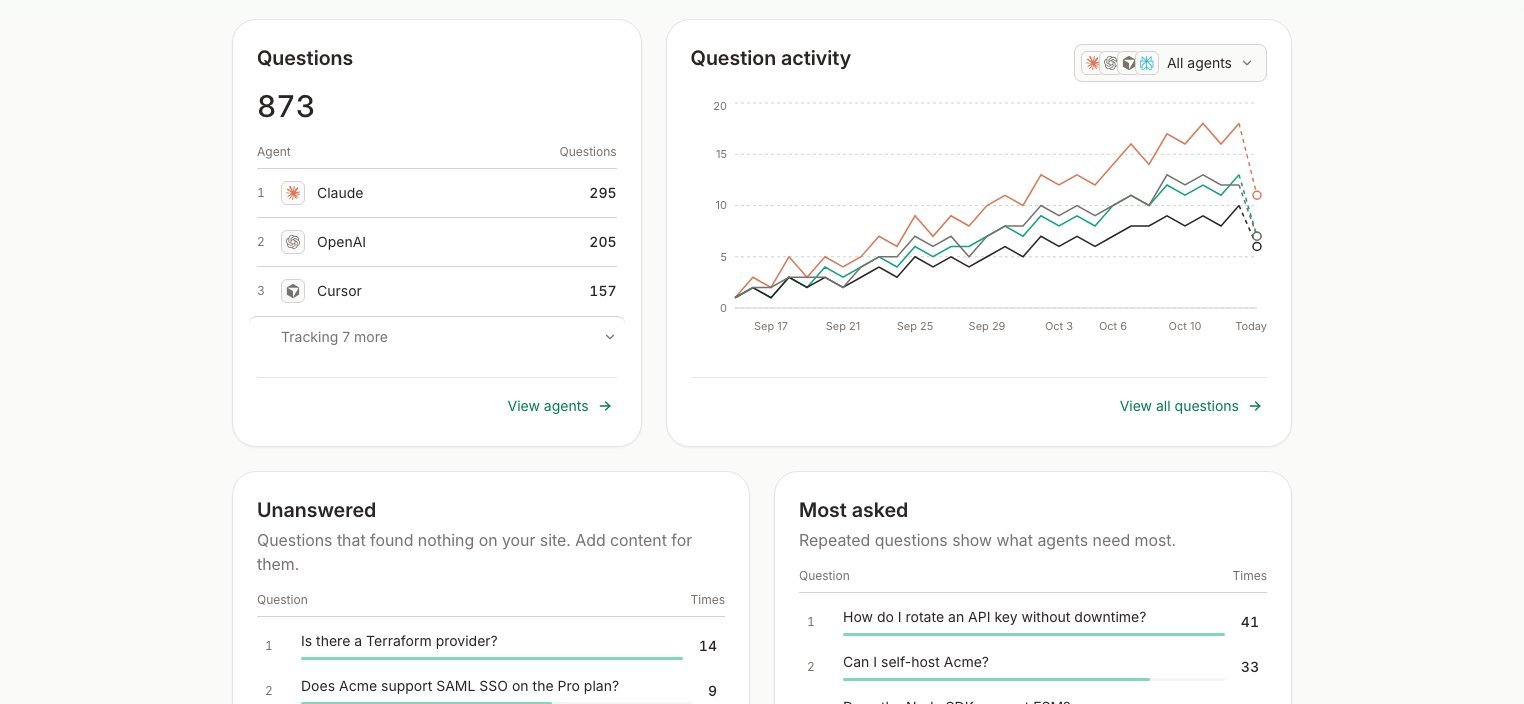
Context7 Ask Analytics tab with a question activity chart by agent and the Unanswered and Most asked lists

Question activity by agent, with the questions your site couldn't answer and the ones asked most.

The Unanswered list is your to-do list. Each question in it is something agents wanted to know and your website didn’t say. Add a page for it, and the next agent that asks gets an answer.
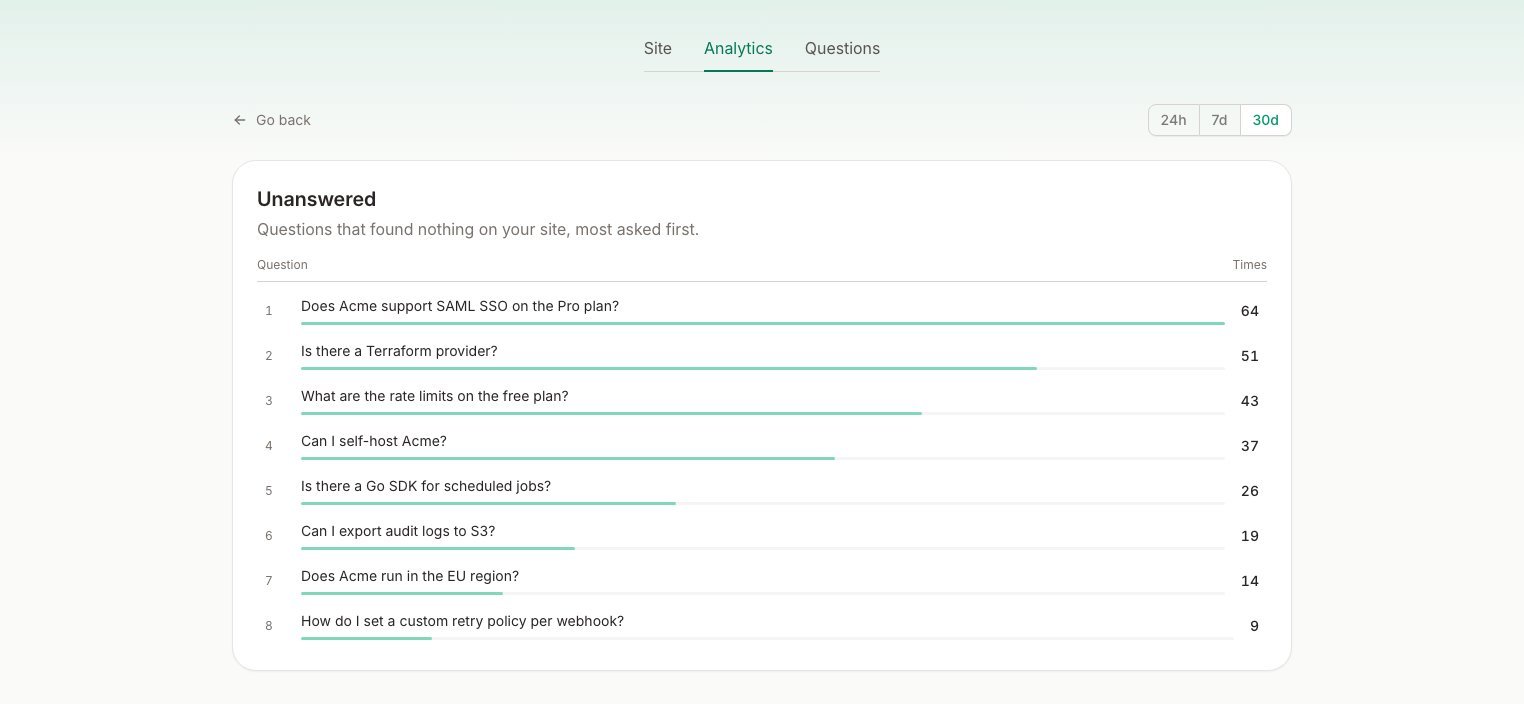
Context7 Ask Unanswered report listing the questions that found nothing on the site, most asked first

Click View unanswered for the full list, most asked first.


Questions

The Questions tab lists every question, newest first. Search the questions, or filter them by agent. Click a question to read the answer the agent got back.
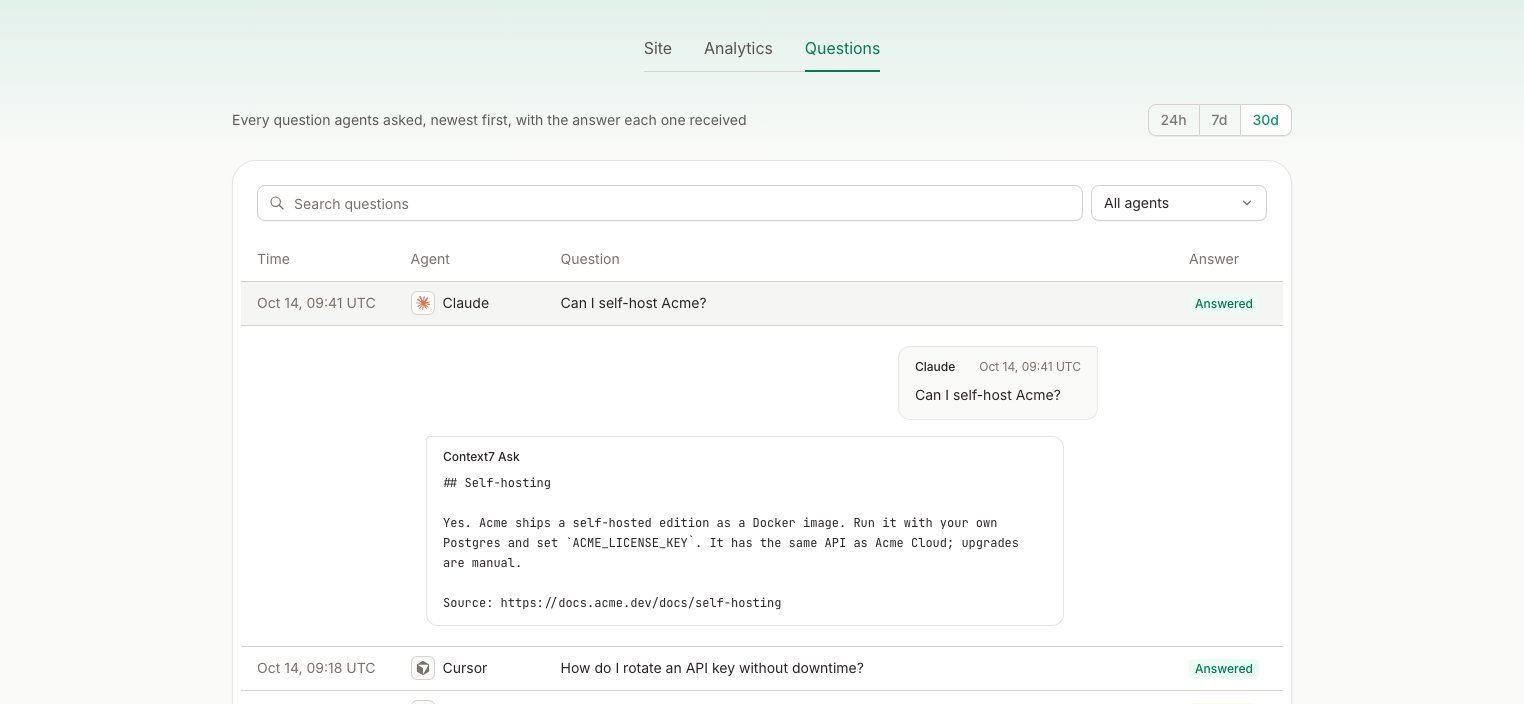
Context7 Ask Questions tab with one question opened to show the answer the agent received

Open a question to see exactly what the agent received.

Each question is marked Answered or No match. We keep questions for 60 days.

Agents

Ask recognizes Claude, OpenAI, Perplexity, Cursor, OpenCode, Meta, Mistral and Grok by name. A question from a browser shows as Browser, and one from any other agent shows as Unknown.